Work records on site
Records lists the building's work records, standalone or in a project, and its projects. Search, or add a new one.
Add new work record: HRB emergency repair, minor works or CPS scheme works. The record saves itself as a draft from the first field. A progress bar shows where you are; Steps jumps to any step already reached. Every change saves automatically.
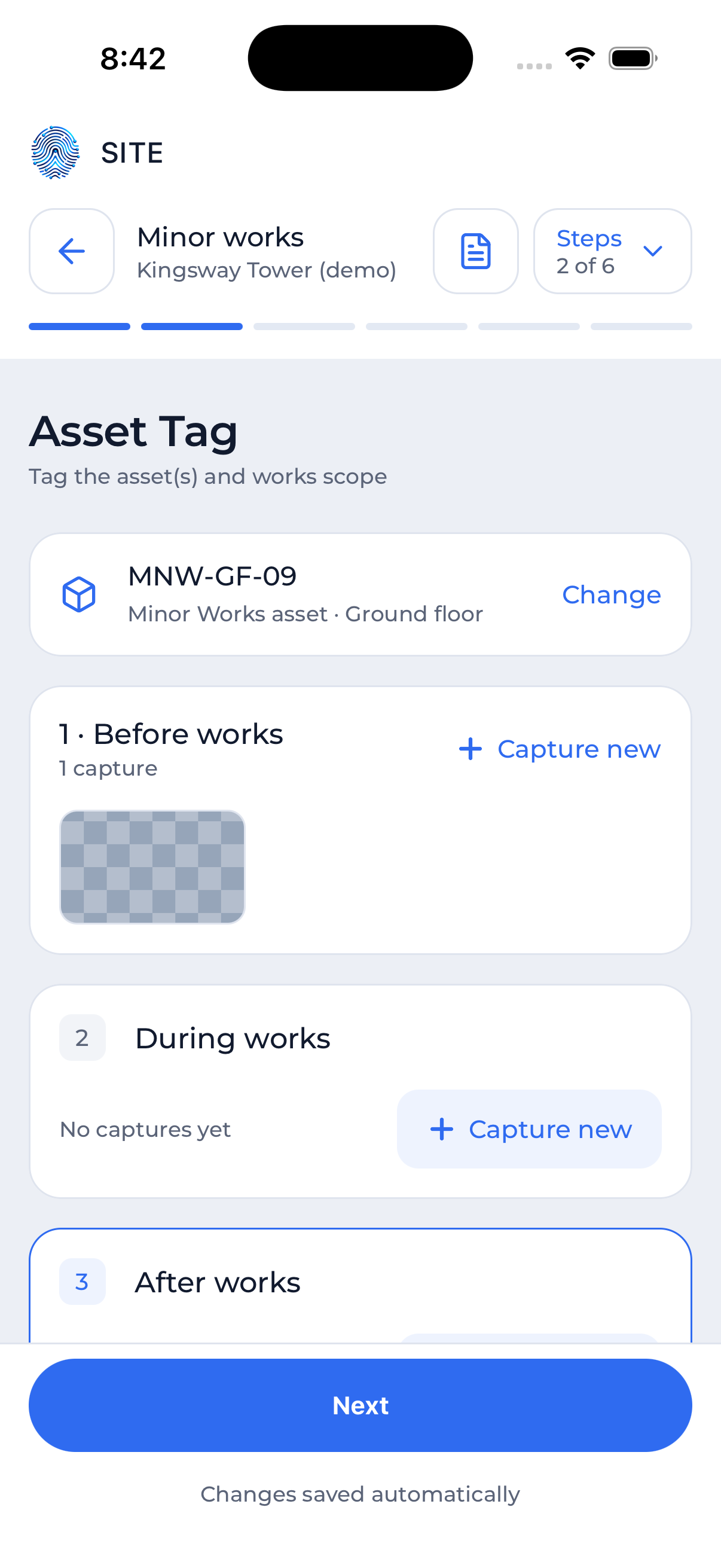 The Asset tag step
| Step | What you do on site |
|---|---|
| Type of work | Choose the work type from the list (for minor works, the Schedule 4 work types). |
| Asset tag | The asset and the scope of works, with Before, During and After captures. Capture new opens the camera straight into that stage. |
| Worker details | Choose a verified contractor (their details and signature are already on file), or enter the details and sign on the phone. |
| Communications | The record's conversation with the client, the contractor or the regulator. |
| Package ready | What is still outstanding. Tap an item to open its step. Download the package to the phone. |
| Golden thread | Every change to the record, who made it and when. Submit sends the record. |
HRB emergency repairs and planned works have more steps, such as the risk assessment, the responsible person's approval and the signed statements; some of them are completed in Core on the web.