Find your way around Core
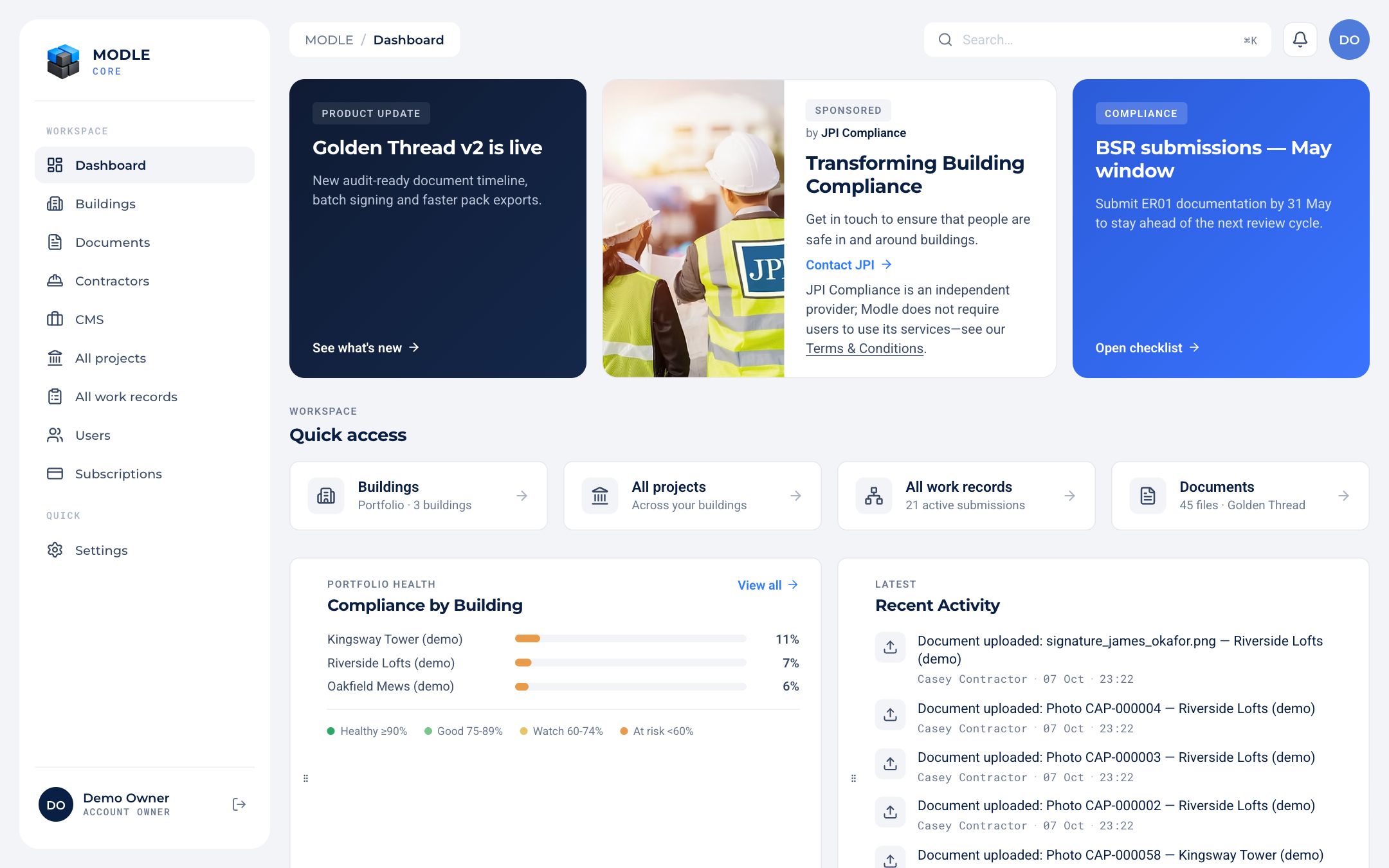 The dashboard: quick access, compliance by building and recent activity.
The sidebar shows only what your role can use:
| Item | What is there | Roles |
|---|---|---|
| Dashboard | Quick access, compliance by building, recent activity | Owner, admin, user, notifee, contributor |
| Buildings | Your buildings, with compliance score and open records | Owner, admin, user, notifee, contributor |
| All buildings | Your buildings as a list | Contractor, consultant |
| Documents | Every document in the account | All except notifee |
| Contractors | Approved contractors and their projects | Owner, admin, user, notifee, contributor |
| All projects | Every project across buildings | Owner, admin, contractor, consultant |
| All work records | Every work record across buildings | Owner, admin, contractor, consultant |
| Users | Your team, roles and invitations | Owner |
| Addons | Extra features such as Meeting import | Owner, admin |
| Settings | Account, security, notifications | Everyone |
Add-ons you switch on can add their own items, such as Sensors.
The top bar holds the breadcrumb, the notification bell and your avatar, which opens Settings.