The asset register
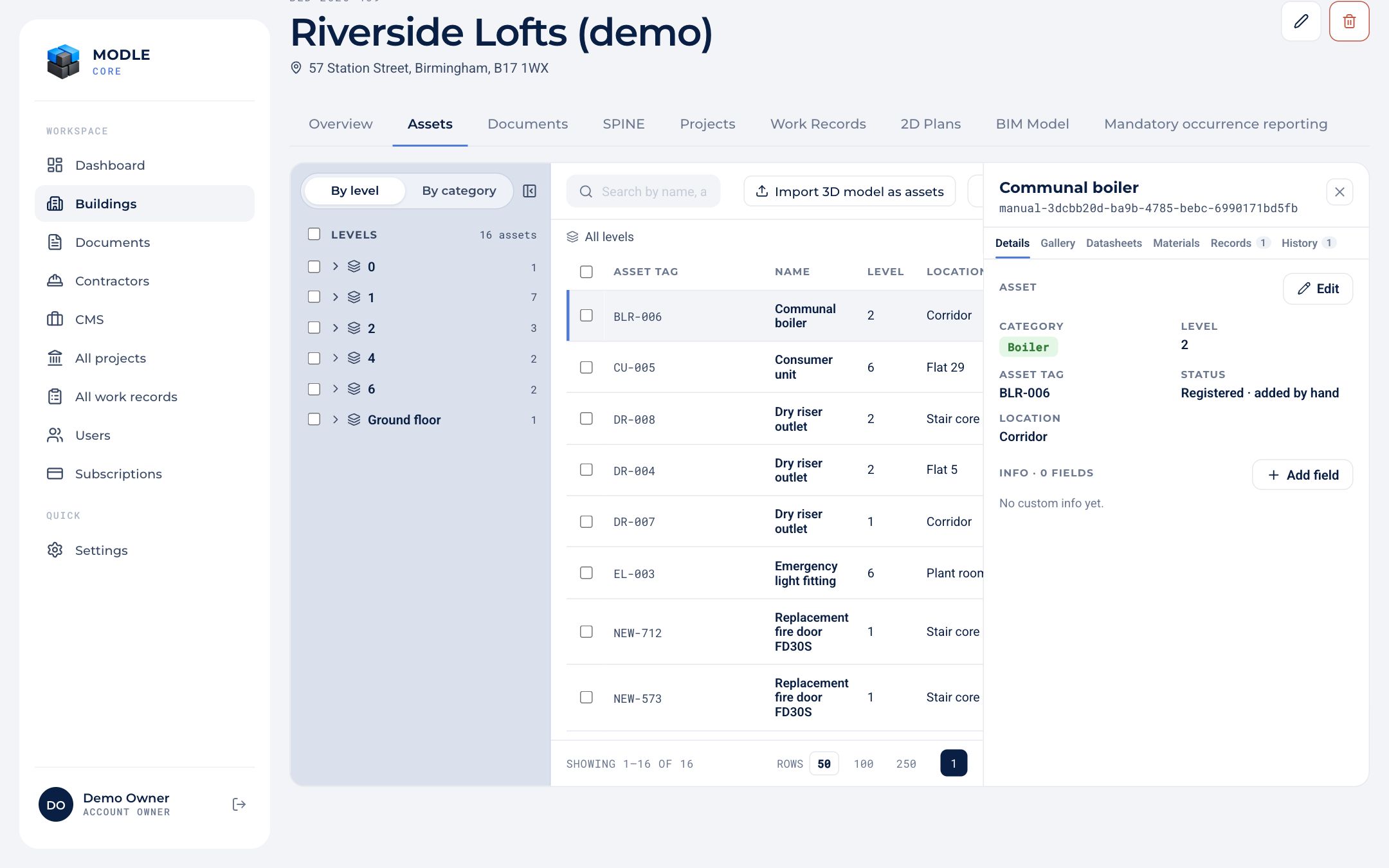 Assets: the tree by level or category, the register, and the selected asset.
- Browse the tree by level or by category, or search the table.
- Add asset by hand, or Import 3D model as assets.
- Select several assets to add information to all of them, create a project or create a work record for them.
Click an asset to open its drawer:
| Tab | What is there |
|---|---|
| Details | Category, name, level and location (the asset tag never changes), a 3D preview, and your own information fields. |
| Gallery | Photos, videos and voice notes captured with Site, grouped Before, During and After. |
| Datasheets | Product datasheets. |
| Materials | The materials used, edited row by row. |
| Records | The work records that touched the asset. |
| History | Every change to the asset. |
View in BIM model jumps to the element in the 3D viewer.
An asset created inside a work record carries a provisional tag until the record reaches Package Ready.